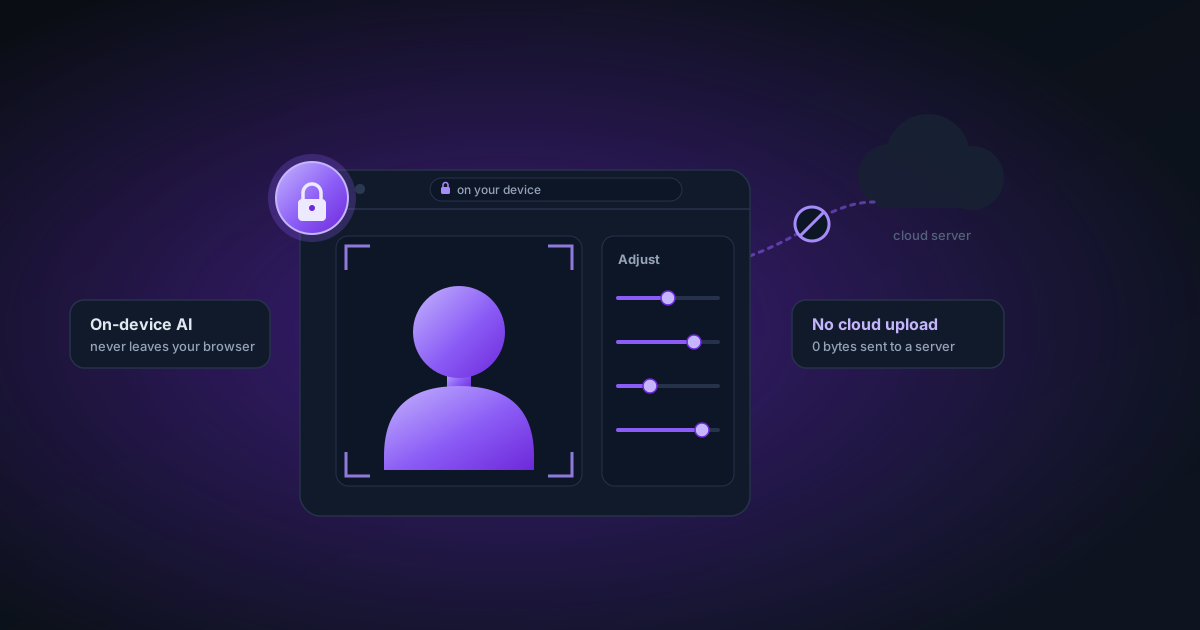
Privacy-First Image Editing: Why Your Photos Should Never Leave Your Device
Most photo editing tools upload your images to a cloud server. Here's what actually happens to those images, why it matters, and how browser-based AI processing changes the equation.
By Novus Stream Solutions Editorial Team · Part of the Product, privacy, and trust topic cluster
When you click "upload" in most photo editing tools, you're doing more than starting a process. You're sending your image to a server — possibly in a different country, operated by a company with its own data policies, security posture, and business model.
Most people know this at some level and have decided it doesn't matter. But it's worth understanding what that actually means, because the decision to accept it is often made without full information.
What Happens When You Upload to a Cloud Tool
The typical flow:
- Your image travels over HTTPS to the company's servers
- It's stored, at minimum temporarily, in a processing queue
- The server processes it — runs the AI model, whatever manipulation was requested
- The result is returned to your browser
- Your original is deleted — maybe immediately, maybe after 24 hours, maybe after 30 days, depending on the service
The gaps in this story are where the risk lives.
Retention periods
Most privacy policies say something like "we may retain your data for up to 30 days." Some say "immediately deleted after processing." Very few offer cryptographic proof of deletion.
Even "immediate deletion" typically means the file is marked for deletion — the actual data remains on disk until that sector is overwritten. On cloud storage (S3, GCS), this can take hours or longer.
Security
Cloud storage is genuinely secure at major providers. But "secure" doesn't mean invulnerable. Data breaches at cloud companies happen. A company that stores your uploaded images for 30 days has 30 days of exposure for each upload.
Model training
Privacy policies often include language like "we may use your data to improve our services." This can mean using your uploaded images to train or fine-tune AI models. Sometimes this is opt-out, sometimes it's buried in terms you accepted by using the service.
High-quality real-world images are valuable for training. The incentive to use them is real, regardless of what the policy says.
Jurisdiction
Where are the servers? Data centres in the US are subject to US law — including laws that allow government access without user notification. EU users uploading to US-based tools are sending data outside GDPR jurisdiction. For most people and most photos, this doesn't matter. For some scenarios, it does.
The Categories of Images That Deserve More Care
For a photo of your cat that you want on a white background for a social media post — the risks above are mostly theoretical. The image is low-sensitivity and the stakes are low.
But consider these categories:
Product photography for unreleased products. You're photographing a new product before launch. The background removal tool receives that image. If the company has any data retention, your unreleased product exists on their server for some period. Industrial espionage is rare, but it exists.
Personal and family photos. Photos of your children, your home, your daily life. The aggregation of many such images tells a story about you that you may not have consented to share.
Client work. If you're a freelancer or agency processing client images, your client didn't consent to their assets being uploaded to third-party tools. Depending on your contract, this could be a compliance issue.
Medical or legal contexts. Before-and-after photos in medical practices, crime scene documentation, legal evidence. These have explicit regulatory requirements (HIPAA, legal chain of custody) that cloud tool uploads can complicate or violate.
Anything under NDA. If you've signed a non-disclosure agreement covering certain images, uploading them to a cloud tool may technically violate it.
How Browser-Based Processing Changes This
When AI inference runs in your browser:
- No upload. The image data moves from your filesystem to your browser's memory. It doesn't travel over a network.
- No server retention. There's no server. There's no retention period because there's nothing to retain.
- No data exposure. A security breach of the tool's servers exposes application code, not your images.
- No jurisdiction question. The processing happens on your hardware in your location.
The only data that leaves your device is:
- The application code itself (standard static files from a CDN — no different from loading any website)
- The AI model weights (downloaded once, cached locally — this is model data, not your image)
- Optional, consent-gated analytics (aggregated metrics only, no image content)
This is not a trade-off. Browser-based processing is simply better for privacy in every dimension.
Why Cloud AI Became the Default
Browser-based AI inference wasn't practical until recently. Neural networks require significant compute — matrix multiplications across millions of parameters — which JavaScript engines couldn't do efficiently until WebAssembly enabled near-native performance, and WebGPU enabled GPU access from the browser.
Before 2023 or so, "run AI in the browser" meant slow, low-quality results. Sending to a server and getting a result back in a second was genuinely better from a user experience perspective.
That's no longer true. WebGPU-accelerated inference in Chrome runs the same models at similar speeds to server-side processing. The quality is identical because the model is identical. The user experience is comparable or better (no upload wait, immediate local feedback).
Cloud AI became the default because it was technically necessary. It's increasingly not necessary — and the tools that cling to it are keeping the model for business reasons, not technical ones.
The Business Model Question
Why do cloud tools prefer the upload model?
Control. If inference runs on your device, the company can't enforce usage limits, subscription tiers, or credits. "You get 5 free background removals per month" requires server-side enforcement.
Data. Uploaded images are valuable for training better models. Each user is contributing to the company's dataset, often without realising it or getting compensation for it.
Lock-in. When your images are on their servers, you're in their ecosystem. Switching tools means starting over.
Monetisation. Some services sell access to aggregated, "anonymised" image data. Even if individual images are anonymised, the metadata (dimensions, format, what kind of objects appear in it) is commercially useful.
None of these apply to browser-based tools. We can't enforce credit limits (because we don't count your usage). We can't train on your images (because we never see them). We can't lock you in (because there's nothing to be locked in to).
The business model for browser-based tools is different: advertising, optional paid features, or donations. NSS Background Remover runs ads, which fund the infrastructure and development. Your images fund nothing — because we have nothing.
Practical Privacy Habits
Even knowing all this, sometimes cloud tools are the right choice (API access, integration into workflows, team collaboration). Here are habits that reduce your exposure when you do use them:
Check the retention policy before uploading. "Deleted immediately after processing" is better than "retained for 30 days." Look for it explicitly in the privacy policy, not just the marketing copy.
Use a local copy. Work from a copy of your original, not the original itself. If the cloud tool somehow retains something, it's a copy.
Avoid uploading anything under NDA. If you're not sure whether an image falls under a confidentiality agreement, assume it does.
Use browser-based tools where available. For background removal, transparency checking, image resizing — if you can do it without uploading, do it without uploading.
Check for model training opt-outs. Many tools offer an opt-out for training use. It's usually buried in settings, not announced prominently. Find it and use it.
The default assumption of cloud-first AI tools is that you're comfortable with all of the above. Privacy-first tools start from the opposite assumption: your images are yours, and they stay that way.
Applies to NSS Background Remover v0.2.0 — the release that was current when this article was published.
Was this article helpful?
Your answer is saved in this browser only. This control makes no network request and does not send the answer to an NSS feedback endpoint.