The Hidden Problem With Free Background Removers
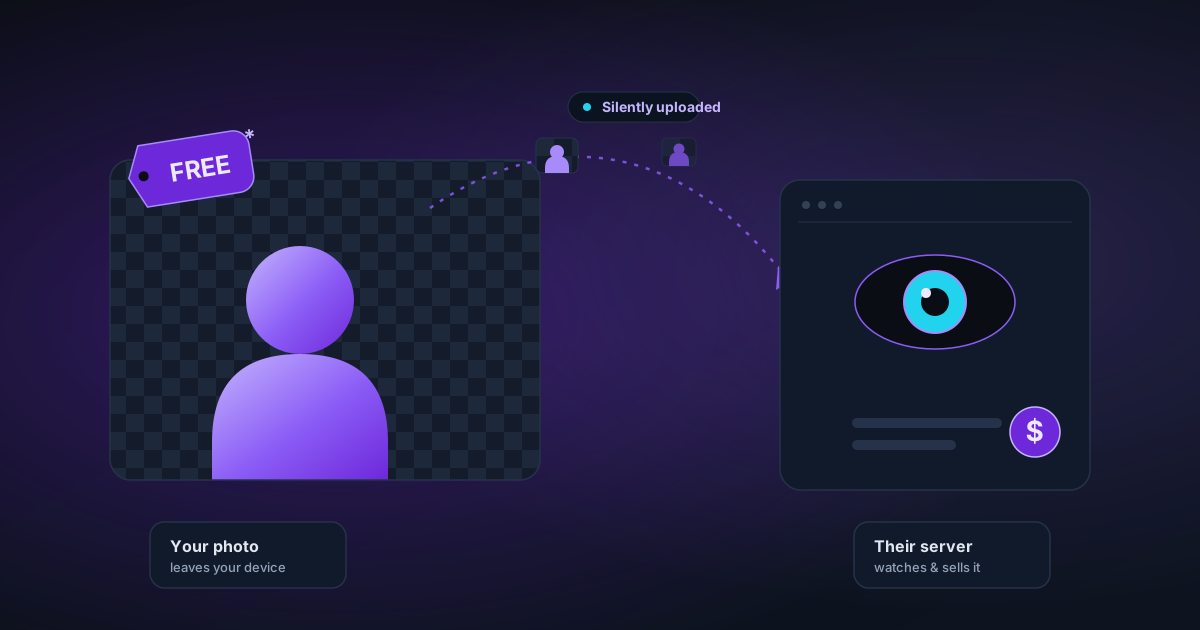
Most "free" background removers have a catch: your images are uploaded to their servers, they sell your data, or the free tier uses a degraded model. Here's what to look for.
By Novus Stream Solutions Editorial Team · Part of the Product, privacy, and trust topic cluster
"Free" is a complicated word on the internet. Here's what it actually means for background removal tools.
The four kinds of "free"
Free because you're the product
Some tools are free because they store your images, use them to train their models, or sell analytics about what people are processing. The privacy policy is where this happens — most people don't read it.
Signs: requires an account, doesn't clearly state images are deleted after processing, has a privacy policy that mentions "training data" or "improving our services."
Free tier on a paid product
The free version processes your images at lower resolution, adds a watermark, limits you to 5 images per day, or uses a deliberately weaker AI model. The goal is to frustrate you into paying.
Signs: watermarks on output, daily limits, a prominent "Go Pro" button, noticeable quality difference between free and paid results.
Free with technical problems
Some genuinely free tools produce technically incorrect output — specifically, premultiplied alpha that breaks in Photoshop. The tool looks fine on screen (browsers handle premultiplied alpha correctly), but professionals who open the file discover a black background.
This is the most insidious problem because it's invisible until you need the file in a professional context.
Signs: your PNG shows black in Photoshop, you see dark halos when compositing over coloured backgrounds, the "transparent" file has a white or black box behind it in some software.
Actually free (no catch)
This exists when the processing costs are low enough to be covered by ads or hosting, and the operator has chosen not to monetise in ways that compromise the product.
NSS is in this category. The AI models are open-source. The inference runs on your hardware. Our hosting costs are covered by display ads. There's no server-side processing to bill.
The upload problem
Most browser-based background removal tools — even free ones — send your image to their servers for processing. This means:
- Your image is visible to the company's employees and systems
- It's subject to their data retention policy (often 30 days, sometimes forever)
- It's exposed to potential server-side breaches
- It's subject to whatever jurisdiction the company operates in
This matters more than most people think. Product photos for an unreleased item. A passport photo. A medical image. A personal photo you didn't want shared.
The alternative — running the AI locally in the browser — is technically harder but architecturally superior for privacy. NSS does this. Transformers.js runs the model on your device's GPU. Nothing is transmitted.
The quality trap
Some tools deliberately degrade the free tier to sell upgrades. Common approaches:
- Resolution limit — free tier only processes at 500 px, paid processes at full resolution
- Model downgrade — free uses a weaker AI, paid uses the better one
- Soft edge removal — free tier uses binary (hard) masking so hair looks like a cardboard cutout; soft edges require payment
- Watermark — the output is unusable without the watermark removed
NSS doesn't do any of this. The same full-quality models (ORMBG and BiRefNet) run on the first image and the ten-thousandth. There's no paid tier, so there's nothing to downgrade to.
The premultiplied alpha trap
This is a technical problem that affects many browser-based tools, free and paid.
The HTML Canvas API returns pixel data in a premultiplied format. When tools naively use this data to write PNG files without converting to straight alpha, the result looks correct in every browser — but breaks in Photoshop, Affinity, InDesign, and video editors.
The fix requires keeping the image buffer and the mask buffer separate, and compositing them correctly at export time. Most tools don't do this because most developers don't know about it until a professional user files a bug report.
NSS was built specifically because of this problem. The entire pipeline is designed around straight alpha.
How to test any background removal tool
Three tests tell you most of what you need to know:
Privacy test: Open DevTools → Network → filter by Size (remove size: 0 entries). Upload an image. Do you see a large request going out? If so, your image is being sent to a server.
Photoshop test: Export a PNG from the tool. Open it in Photoshop. If you see a checkerboard, straight alpha is working. If you see a black box, it's premultiplied alpha.
Quality test: Use a photo with complex hair or fur. Compare the result at the edges — do individual strands show, or is the edge a hard line? Hard edges on soft subjects indicate the tool is binarizing the mask.
Related
Applies to NSS Background Remover v0.2.0 — the release that was current when this article was published.
Was this article helpful?
Your answer is saved in this browser only. This control makes no network request and does not send the answer to an NSS feedback endpoint.