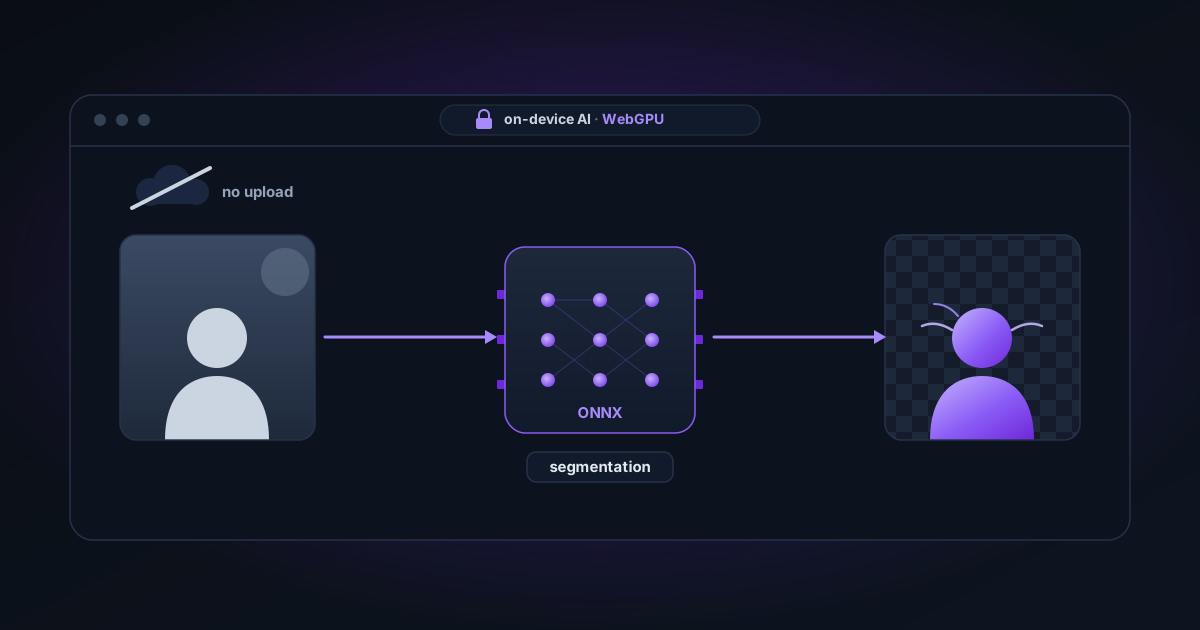
How AI Background Removal Actually Works
What's really happening when an AI model removes a background — segmentation models, ONNX, WebGPU, and why running in the browser is better than a cloud API for privacy.
By Novus Stream Solutions Editorial Team · Part of the Image processing and on-device AI topic cluster
When you upload a photo and a background disappears in seconds, it feels like magic. It's not magic — it's a segmentation model running on your GPU. Here's what actually happens.
The problem: separating foreground from background
A background removal tool is solving an image segmentation problem: for every pixel in the image, decide whether it belongs to the subject (foreground) or the background.
The naive approach — comparing pixel colours — fails immediately because a black t-shirt and a black background have the same colour. You need to understand the context of the pixel: where it is in the image, what surrounds it, what shapes are visible, and what the semantic meaning of the region is.
That requires a neural network.
How segmentation models work
Modern background removal uses a type of model called a semantic segmentation network. The architecture is roughly:
-
Encoder — a series of convolutional layers that extract increasingly abstract features from the image. Early layers detect edges and textures; deeper layers detect shapes and eventually semantic regions ("this looks like hair", "this is grass").
-
Decoder — takes the encoded representation and rebuilds a spatial map at the original image resolution, predicting, for each pixel, the probability that it belongs to the foreground.
-
Output — a floating-point mask, where each value represents the probability that pixel belongs to the subject. 1.0 = definitely foreground, 0.0 = definitely background, 0.5 = uncertain (edges, translucency, motion blur).
The output isn't binary. That's important. Pixels at the edge of hair strands might have values like 0.3 or 0.7, representing genuine uncertainty — and that uncertainty translates to partial transparency in the final image.
The models NSS uses
NSS uses two models:
ORMBG (Fast mode) — developed by BRIA AI, released under a Apache-2.0 licence. A compact, efficient model that handles most photos well. ~45 MB.
BiRefNet Lite 512 (Best Quality mode) — a browser-ready MIT-licensed export. Significantly better on complex subjects: hair, fur, transparent materials, and intricate edges. ~99 MB on WebGPU or up to ~192 MB on the CPU compatibility path.
Both models are distributed in ONNX format — Open Neural Network Exchange. ONNX is a standardised format for AI models that can be run by multiple inference engines, including the browser-native Transformers.js library.
How inference runs in the browser
Running an AI model in a browser involves several layers:
Transformers.js
NSS uses @huggingface/transformers (Transformers.js v3+), a JavaScript port of the Hugging Face Transformers library. It handles:
- Downloading and caching model weights from Hugging Face CDN
- Input preprocessing (resizing, normalising pixel values to the model's expected range)
- Running the ONNX model through the inference engine
- Postprocessing the output mask
WebGPU
On supported browsers (Chrome, Edge, Opera), inference runs on your device's GPU via the WebGPU API. WebGPU provides:
- Parallel matrix multiplication across thousands of GPU cores
- Typical inference time: 1–5 seconds for a full-resolution photo
WebGPU is essentially the GPU compute path that previously required a desktop app. It's why browser-based AI tools in 2024–2026 can match the speed of native software.
WebAssembly fallback
When WebGPU is unavailable, Transformers.js falls back to WebAssembly (WASM) inference on the CPU. NSS currently pins that fallback to one thread because the multi-threaded heap caused out-of-memory failures on large segmentation models.
WASM inference is slower (10–60 seconds depending on hardware), but the output quality is identical — the model runs the same computation, just on different hardware.
The web worker
AI inference runs inside a Web Worker — a separate JavaScript thread that can't block the main UI. This means the page remains responsive during processing. The worker posts progress events back to the main thread to update the progress bar.
Why local beats cloud for this
Most background removal tools send your image to their servers for processing. NSS doesn't. There are several advantages to local inference:
Privacy: Your images never leave your device. There's no possibility of server-side logging, data retention, or breach exposure — the processing happens entirely on your hardware.
Speed: No network round-trip. The bottleneck is local GPU inference, not upload/download time. For high-resolution images on a fast connection, local inference can be faster than a cloud API.
Offline capability: Once the model weights are cached, the tool works without internet. Cloud tools fail the moment your connection drops.
Cost: Cloud inference costs compute. Local inference costs your electricity. Free tools funded by ads can offer unlimited use because there's nothing to bill.
From inference to export
After the model produces a Float32 mask:
- The mask is upscaled back to the original image resolution if the image was downscaled for inference (images over 4096 px are temporarily downscaled)
- Edge refinement is applied: feathering, smoothing, expansion/contraction, decontamination
- The final RGBA composition is assembled: original RGB + mask value as alpha
- The file is encoded (PNG, WebP, AVIF, or JPG)
- The encoded file is decoded back and sampled to verify straight alpha
The separation of the image buffer and the mask buffer throughout this pipeline is what makes true straight alpha possible.
Related
- Browser support — which browsers support WebGPU
- System requirements — hardware recommendations
- How it works — the full pipeline overview
Applies to NSS Background Remover v2.4.0 — the release that was current when this article was last updated.
Was this article helpful?
Your answer is saved in this browser only. This control makes no network request and does not send the answer to an NSS feedback endpoint.