Sky Replacement vs Background Removal: Which Does Your Photo Need?
Sky replacement and background removal sound similar but serve different purposes. Here's when to use each technique, how they work differently, and where a browser-based tool fits in.
By Novus Stream Solutions Editorial Team · Part of the Image processing and on-device AI topic cluster
Sky replacement and background removal are related techniques — both involve removing part of an image and replacing it — but they solve different problems and work best in different situations.
Knowing which one your photo actually needs saves time and produces better results.
What Each Technique Is For
Background removal
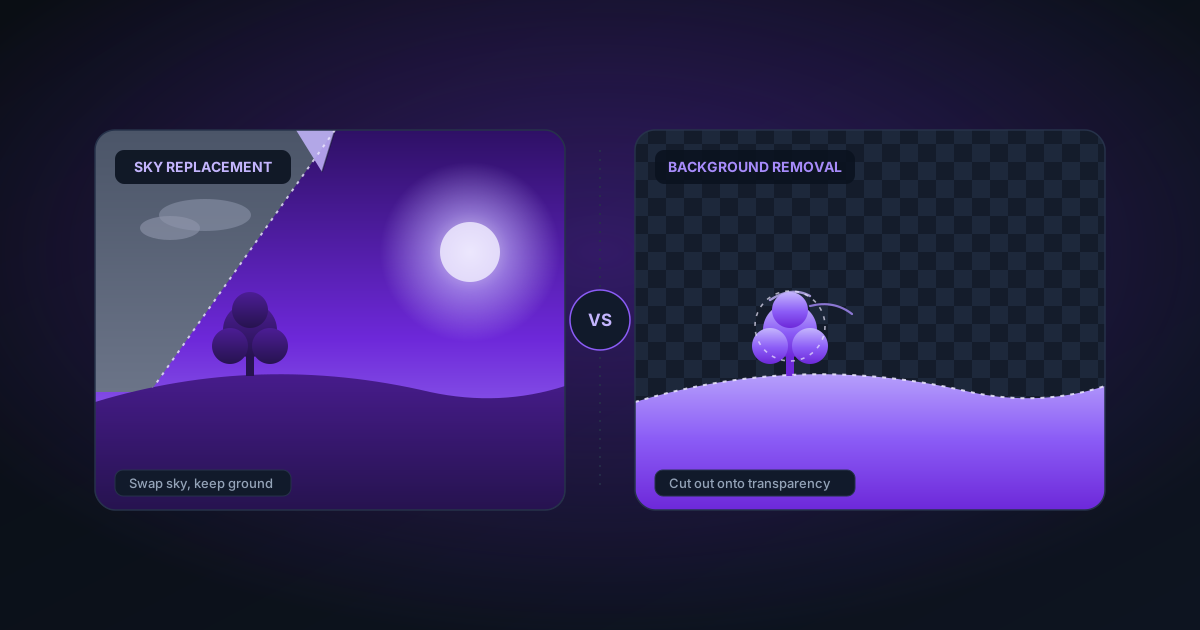
Background removal separates a subject from its background and makes the background transparent. The subject is typically a person, product, animal, or object — something discrete with identifiable edges.
Common uses:
- Product photos for e-commerce (white background)
- Portraits for use on different backgrounds
- Logos and graphics for compositing
- Stickers, illustrations, any graphic element that needs to "float" independently
The output is a PNG (or WebP/AVIF) with true transparency — a clean cutout ready to be placed anywhere.
Sky replacement
Sky replacement replaces only the sky portion of an outdoor photo — keeping the ground, architecture, foliage, and subjects intact. The new sky is composited at the horizon line, matching lighting direction and colour temperature where possible.
Common uses:
- Real estate photography (grey cloudy day → dramatic sunset)
- Landscape photography (flat sky → interesting clouds)
- Automotive photography
- Architecture and cityscape photography
Sky replacement typically produces a flat JPG or TIFF — you're replacing one element for a more appealing composition, not creating a transparent cutout.
Key Technical Differences
| Background removal | Sky replacement | |
|---|---|---|
| Subject | Any discrete object | Specifically sky areas |
| Output | Transparent PNG | Flat image (sky swapped) |
| Edge challenge | Entire subject perimeter | Horizon line, treetops, architecture |
| Use case | Compositing, e-commerce | Photo enhancement, real estate |
| Common tools | AI matting models, masking | Photoshop, Luminar AI |
The edge challenge is actually different in an important way. Background removal has to trace the entire subject perimeter — including hair, fur, complex silhouettes. Sky replacement only has to trace the sky-to-ground boundary, which is often (but not always) simpler.
The "not always" is significant: trees, complex architecture, and foliage at the horizon make sky replacement just as difficult as any background removal task.
When You Need Background Removal (Not Sky Replacement)
Use background removal when:
- You want the subject on a completely new background (not just a new sky)
- You're creating a product photo with a white or transparent background
- You're extracting a person, animal, or object to composite into another scene
- The original photo has an indoor background (rooms, studio, etc.)
- You need a transparent PNG for use in design tools, websites, or print
Sky replacement would be wrong for these scenarios because it only affects sky areas — it can't remove an indoor background or a studio backdrop.
When You Need Sky Replacement (Not Background Removal)
Use sky replacement when:
- The photo is outdoor and the sky is the only unsatisfying element
- You want to keep the environment intact (the garden, the street, the architecture) and only improve the sky
- You're doing real estate photography where the house and landscaping should remain as-is
- The goal is a more dramatic composition, not a different background entirely
Background removal would be wrong here — you'd lose the house, garden, and ground context that are essential to the photo.
When the Lines Blur
Some scenarios could use either approach, depending on the intended output:
Outdoor portrait:
- If the client wants the portrait on a studio-style neutral background: background removal
- If the client wants the portrait with a better sky but keeping the outdoor context: sky replacement
Car photography:
- Showroom shot: background removal (transparent or white background)
- Outdoor location shot where just the sky is overcast: sky replacement
Real estate / exterior architecture:
- Listing photo for Zillow/Realtor: sky replacement (keep the property, improve the sky)
- Billboard or marketing composite where the building is placed in a new environment: background removal
NSS Background Remover and Outdoor Photos
NSS Background Remover is optimised for background removal — isolating subjects with transparent output. It handles outdoor photos well when the goal is extracting the subject.
For outdoor portraits and people photos, the AI models (ORMBG and BiRefNet) handle complex edges including hair blowing in wind, jacket edges against busy outdoor backgrounds, and other naturalistic complications.
For outdoor architectural photos where you want sky replacement, NSS is not the right tool — Photoshop's Sky Replacement filter (Photoshop 2021+) or Luminar AI's sky replacement are purpose-built for that task.
Combining Both Techniques
Some workflows use both:
Real estate interior + exterior composite:
- Sky replacement on the exterior hero shot (improving the day)
- Background removal on product furnishing shots for the staging photos
- Both techniques in the same marketing package
Creator profile photo workflow:
- Background removal to isolate the person with a transparent PNG
- Composite onto a designed background in Canva or Figma
- Export final flat image — effectively replacing the entire original background, not just the sky
E-commerce with lifestyle context:
- Product on studio background: background removal → white background for listing
- Product on location (outdoor setting): sky replacement if only the sky needs improvement; full background removal if placing the product in a completely different environment
Quick Decision Guide
Ask: what is the unwanted element?
- The entire background (it's a studio, a messy room, a neutral grey) → Background removal
- Just the sky (the building/landscape/environment is fine) → Sky replacement
- The background is outdoor but completely wrong (different season, different location) → Background removal (then composite into new scene)
Ask: what is the desired output?
- Transparent PNG for design tools → Background removal (sky replacement can't produce transparency)
- A better version of the same photo → Sky replacement
- Subject on a completely different background → Background removal
Applies to NSS Background Remover v0.2.0 — the release that was current when this article was published.
Was this article helpful?
Your answer is saved in this browser only. This control makes no network request and does not send the answer to an NSS feedback endpoint.