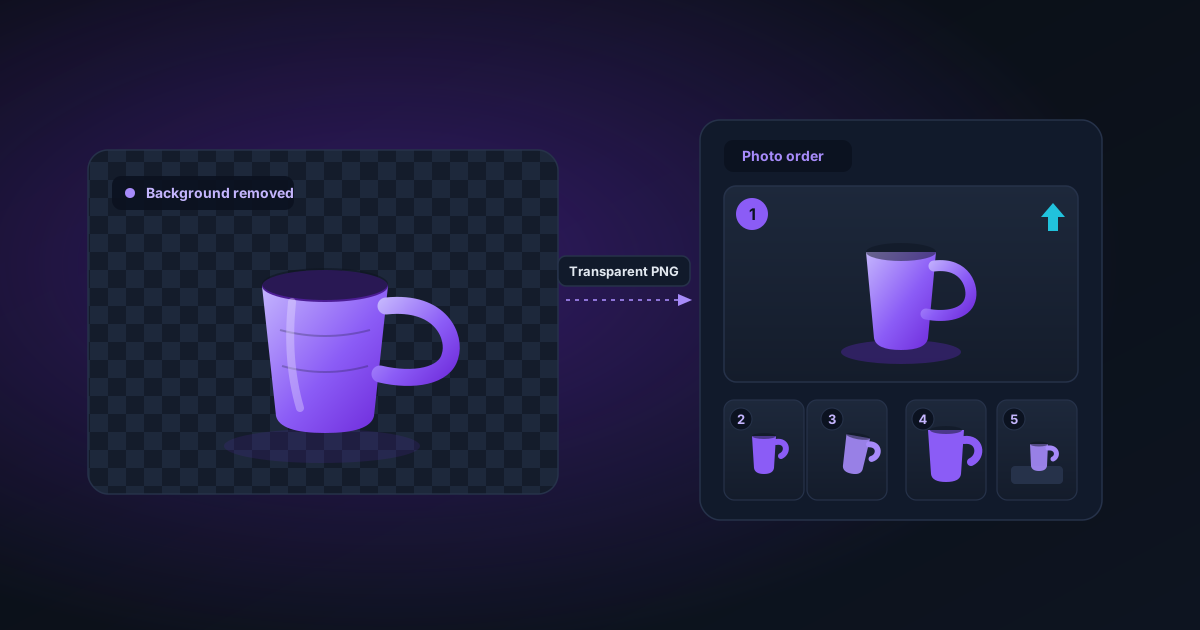
Etsy Photo Guide for Handmade Sellers: Stand Out in Search Results
How to photograph and edit handmade products for Etsy — background removal, image sizing, listing photo order, and why transparent PNGs give you more flexibility.
By Novus Stream Solutions Editorial Team · Part of the Publishing and marketplace requirements topic cluster
Etsy gives you ten photo slots per listing. Most sellers use two or three. The sellers who consistently rank at the top of search results use all ten — and they start with a clean, professional main image that stops the scroll.
Background removal is the fastest way to get that main image right.
Why Etsy Photos Matter More Than You Think
Etsy's search algorithm weighs click-through rate heavily. Two listings with identical SEO can rank differently because one gets more clicks. A clean, white or transparent background on your main photo signals "professional" to buyers and increases your click-through rate — which feeds back into your ranking.
It's a compounding effect. Better photos → more clicks → higher ranking → more visibility → more sales.
Etsy's Technical Requirements
Before you start editing, know the rules:
- Minimum: 2000 × 2000 pixels for zoom to work
- Recommended: 3000 × 3000 pixels at 72 dpi for listing, 300 dpi for print-on-demand
- Format: JPG or PNG (PNG preferred for products with removed backgrounds)
- Aspect ratio: Square (1:1) renders best in search results, but Etsy supports portrait and landscape too
- Main image: Etsy recommends white or light background for the first photo
The 10-Photo Strategy
Here's how professional Etsy sellers use all ten slots:
- Clean product on white/neutral — the main listing image; remove background if needed
- Product in context/lifestyle — show it being used or in a styled scene
- Size reference — product next to something familiar (hand, ruler, coin)
- Detail shot — close-up of texture, stitching, grain, or craftsmanship
- Colour options — all variants on one image or separate per colour
- Back/underside — buyers want to see all sides
- Packaging — shows professionalism and sets gift expectations
- Process shot — handmade goods benefit from showing the maker's hands
- Scale in room/setting — for home goods, art, decor
- Text graphic — dimensions, materials, care instructions in a clean graphic
Your first photo does the heavy lifting. Photos 2–10 close the sale.
Background Removal for Handmade Products
Not every product needs a removed background — but these categories almost always benefit:
- Jewellery (rings, earrings, necklaces — details are everything)
- Clothing and accessories
- Ceramic and pottery pieces
- Candles and bath products
- Small decorative objects
- Sticker and paper goods (especially if you offer transparent PNG files to buyers)
What Makes a Good Source Photo for AI Removal
AI background removal tools work better when your source photo has:
- High contrast between product and background — a grey ceramic bowl on a grey linen cloth is harder to cut than on white
- Sharp focus on the product edges — motion blur or lens blur makes edge detection guesswork
- Consistent lighting — dramatic shadows that fall onto the background confuse the model
- Minimal background clutter — a plain white foam board costs £3 and eliminates most problems
Practical setup: A white foam board from any craft store, placed horizontally with the product on top and a second board as a backdrop, gives you a consistent base to work from. Natural light from a window (not direct sun) is better than an overhead bulb for most handmade goods.
Removing the Background
Once you've taken a clean photo:
- Upload to NSS Background Remover
- Let the AI process it (under 10 seconds on most browsers)
- If edges need refinement, open in the editor: use Feather (2–5px for most products, higher for fabric) and Smooth to clean up any rough edges
- For products photographed on white, you may not even need removal — check if the white IS the background by toggling the mask preview
Exporting for Etsy
Etsy's listing photos are displayed as JPG regardless of what you upload, but:
- Upload PNG if you've removed the background — preserves your transparency if Etsy ever changes their rendering
- Export PNG from NSS Background Remover for maximum quality and a clean alpha channel
- Composite onto white in the editor's Background tool if you want a guaranteed white background (sometimes cleaner than Etsy's JPEG compression of a transparent PNG)
For digital downloads (sticker sheets, clip art, printables), always export PNG with transparency. Your buyers will thank you.
Sizing and Cropping for Etsy
After removing the background:
- Open in any image editor (Photoshop, Canva, even Paint.NET)
- Expand the canvas to square if needed — add white or transparent padding
- Leave 5–10% margin around the product on all sides
- Export at 2000 × 2000 minimum (3000 × 3000 recommended)
Don't stretch or enlarge a small photo to hit the resolution requirement — it won't zoom well and looks unprofessional.
Colour Matching for Listing Consistency
If you sell multiple colourways of the same product, consistent photography makes your shop look more professional and makes colour choices clearer to buyers.
Shoot all colours in the same session, same setup. After background removal, if colours look different (shadows, white balance shifts), you can adjust in Lightroom or Canva before exporting.
A Note on Lifestyle Photos
Your clean, background-removed product image is the main listing photo. But lifestyle photos — showing the product in use, in a room, worn by a model — are often what convert a browser into a buyer.
These don't need background removal. Shoot them in natural, styled environments. The contrast between your crisp, clean main image and your warm lifestyle images tells the full story.
Common Mistakes
Uploading too small: If you can't zoom in on your listing, buyers can't see the details that justify your price. 2000px minimum.
Low contrast backgrounds: If your product is light-coloured, don't photograph it on white. Use a mid-tone neutral — light grey, cream, soft blue — so the AI (and the buyer) can see the edges.
Not removing backgrounds on jewellery: Jewellery photographed on hands, stands, or backgrounds rarely converts as well as clean, isolated product shots.
Using the same main photo for all listings: Even if you sell a line of similar products, unique main photos help each listing rank individually.
Quick Checklist
- Main image: clean, high contrast, product fills 80% of frame
- Background removed or clean white/neutral
- Minimum 2000 × 2000 pixels
- 10 photo slots used (or as many as relevant)
- Size reference included
- Detail shot showing craftsmanship
- Lifestyle/context photo included
Clean photos don't cost much. A foam board, decent natural light, and a few minutes removing backgrounds — that's the whole setup. The sellers making it hard are the ones not doing it.
Applies to NSS Background Remover v0.2.0 — the release that was current when this article was published.
Was this article helpful?
Your answer is saved in this browser only. This control makes no network request and does not send the answer to an NSS feedback endpoint.