Pet Photography Tips for Better Background Removal Cutouts
How to photograph dogs, cats, and other pets so that AI background removal works well — lighting, contrast, fur colour, and backgrounds that make clean cutouts much easier.
By Novus Stream Solutions Editorial Team · Part of the Browser-local editing workflows topic cluster
Pet photography is one of the hardest subjects for AI background removal — and one of the most rewarding when it works. The difference between a muddy cutout and a clean one often comes down to decisions you make before you take the photo.
Here's how to set yourself up for clean cutouts every time.
Why Pets Are Challenging for AI Background Removal
Three things make pets harder than products:
Fur. Individual hair strands are semi-transparent. The AI has to make thousands of micro-decisions along every edge. A German Shepherd has different edge characteristics than a Persian cat. Even the same dog looks different in different lighting.
Matching colours. A golden Labrador on a sandy floor. A grey cat on a grey couch. A black dog against anything dark. When the subject and background share colours, edge detection becomes a guessing game.
Movement. A still product stays sharp. A dog wagging its tail during a 1/60s exposure produces motion blur at exactly the edge the AI is trying to detect. Blur is the enemy of clean masks.
The good news: every one of these is addressable at the photography stage.
Background Selection
The single most impactful variable is your background.
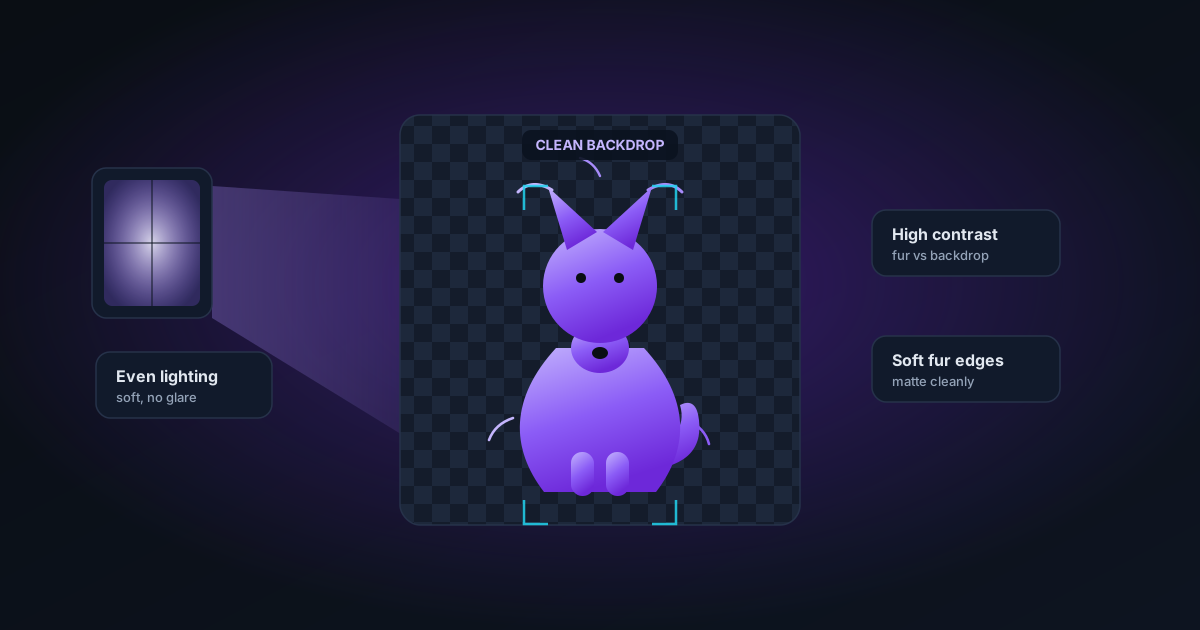
The rule: maximum contrast with your pet's colouring
| Pet colour | Background to use |
|---|---|
| Black or dark | Light grey, white, cream |
| White or light | Mid-grey, soft blue, warm tan |
| Brown, tan, golden | Cool grey, blue-grey, white |
| Grey | Warm white, cream, soft warm tone |
| Tabby/mixed | Plain neutral that contrasts with the dominant fur colour |
Avoid: anything that shares a colour channel with your pet. A brown and cream Cavalier on beige linen — they blend into each other.
Background materials
Best: Seamless paper backdrops (available at any photography supply store). A roll of 2.7m white or grey seamless paper is the single best investment you can make for pet photography.
Good: A flat painted wall (white, grey, or any solid contrasting colour), a large sheet of foam board, or a plain-coloured bedsheet pulled taut.
Avoid: Textured fabrics that cast micro-shadows. Patterned surfaces. Wooden floors where the grain lines cross the pet's paws. Anything with similar tones to the pet.
Distance from background
Put distance between your pet and the background — at least 1–2 metres where possible. This does two things:
- Separates the pet from any shadows cast on the background
- Lets you use a shallower depth of field (the background goes soft while the pet stays sharp), which helps the AI distinguish pet from background even if colours are similar
Lighting for Clean Cutouts
Soft, even light from the front or side.
Harsh directional light casts strong shadows on the background. Those shadows are darker than the background, but they're not part of the pet — the AI will often try to include them in the cutout or get confused about where the pet ends.
Window light — indirect, not direct sun — is excellent for pets. Position your pet facing the window. Overcast days produce even softer, more diffuse light.
Avoid: On-camera flash (harsh, direct shadows), overhead room lights alone (cast downward shadows under the chin and belly), mixed light sources (one window + one lamp = colour cast in part of the image).
Rim or back lighting — a light source behind and above the pet, especially on darker animals, creates a rim of lighter pixels around the edges that the AI can use as a separation signal. This is used by professional animal photographers specifically because it makes the subject easier to cut out.
Camera Settings for Sharp Edges
Motion blur is the main enemy. Pets move. Pet photography requires fast shutters.
- Shutter speed: 1/500s minimum for a moving pet. 1/250s for a sitting or lying pet. 1/125s is too slow for anything that might shake, wag, or breathe visibly.
- Aperture: f/4–f/8 keeps the entire pet sharp. Wider apertures (f/1.8, f/2.8) can produce beautiful bokeh but require precise focus — miss the eyes and the ears go soft, which confuses edge detection.
- ISO: Raise it. A technically noisy photo with sharp edges cuts better than a clean photo with blurred edges. ISO 800 or 1600 in indoor light is fine; modern AI handles slight grain well.
- Burst mode: Pets move unpredictably. Shoot 10 frames; pick the one where the head is sharp, ears are forward, and tail isn't a blur.
Getting Your Pet to Stay Still
The hardest part.
Treats: Have a treat in your non-camera hand. Show it, then move it into position — the pet watches the treat, you get the angle you want.
Eye contact: Call their name just before pressing the shutter. The moment they look up and focus on you is often your clearest shot.
Tired pets: After exercise, pets sit and lie more calmly. A 30-minute walk before a dog's portrait session produces visibly calmer subjects.
Sit/stay: Basic training commands make positioning dramatically easier. Even just "sit" gives you 5–10 seconds of relative stillness.
Two-person shoots: One person engages the pet (toys, treats, noises); the other photographs. Frees you from managing the pet and the camera simultaneously.
Fur and Hair Considerations
Long-haired breeds
Afghan Hounds, Pomeranians, Persian cats — the hair is the challenge and also the showcase. For these:
- Use the Best Quality (BiRefNet) model in NSS Background Remover — it's specifically better at fine strand detail
- Use maximum Feather (5–8px) in Edge Refinement to allow soft transitions between individual strands and background
- Decontamination is important — long fur picks up background colour easily. Increase it if you see colour fringe on the fur tips
Short-haired or smooth-coated breeds
Dobermans, Siamese cats, Vizslas — smooth coats have very sharp edges and clean AI removal is easy. Fast mode (ORMBG) handles these well. Feather at 1–2px is appropriate.
Black pets
Black dogs and cats on any background benefit from rim lighting (see above). In editing, after background removal, check that no areas of the coat have been erroneously made transparent — solid black fur can sometimes be confused with a black background. The red-overlay mask preview in the NSS editor makes this easy to check.
White pets
Similar challenge to black — white fur on a light background. Here, maximum contrast from the background (a mid or dark grey rather than white) is the critical fix. After removal, check for any white fringe left from the background.
Post-Processing: Using the NSS Editor
After background removal:
- Check the mask with the mask preview toggle (**** key) — look for any missed areas or erroneously removed sections
- Restore (R mode) brush: bring back any fur that the AI accidentally made transparent
- Erase (E mode) brush: remove any remaining background traces, especially in the feet/paw area and ground-contact edges
- Feather slider: Increase by 2–4px for long-haired breeds to soften transitions
- Decontaminate: Increase to 70–80% if the original background colour was similar to the fur
The BiRefNet model on a well-photographed pet usually requires 0–2 minutes of editing cleanup. A poorly-photographed one might not be salvageable regardless of editing time.
The Ricky Test
Our internal QA benchmark is a Yorkshire Terrier photo — a breed with very fine, wispy fur that picks up background colour easily. If the output passes the Ricky Test:
- Checkerboard visible behind every fur strand
- No black outline
- No colour shift (fur stays its natural colour, not tinged with background colour)
- Soft, natural-looking fur edges — not jagged or hard-edged
...it will handle almost any other dog or cat breed.
You don't need a Yorkshire Terrier, but running your own test subject through consistently gives you a reliable quality benchmark for your specific workflow.
Quick Reference
| Scenario | What to do |
|---|---|
| Black pet | Light grey or white background + rim lighting |
| White pet | Mid-grey or warm neutral background |
| Long-haired | BiRefNet model + increase feather in editor |
| Blurry edges | Reshoot with faster shutter speed |
| Colour fringe on fur | Increase decontamination in Edge Refinement |
| Background bleeding through coat | Restore brush, check contrast at source |
Applies to NSS Background Remover v0.2.0 — the release that was current when this article was published.
Was this article helpful?
Your answer is saved in this browser only. This control makes no network request and does not send the answer to an NSS feedback endpoint.