PNG vs WebP vs AVIF: Which Format Should You Use for Transparent Images?
A practical comparison of PNG, WebP, and AVIF for images with transparency — file sizes, browser support, tool compatibility, and which to choose for different use cases.
By Novus Stream Solutions Editorial Team · Part of the Browser-local editing workflows topic cluster
Three formats support transparency in 2026. Each has a different trade-off. Here's a practical guide to choosing the right one.
PNG — The universal standard
Transparency support: Yes (straight alpha)
Compression: Lossless
Browser support: Universal
Tool support: Universal
PNG has supported transparency since 1996. Every image editor, design tool, browser, and operating system handles it correctly. Lossless means no quality degradation regardless of how many times you re-save.
File size: Large. A detailed product photo cutout might be 500 KB – 2 MB as PNG. The trade-off for lossless compression and universal support.
Best for:
- Source files for design work
- Print production (brochures, packaging, signage)
- Logos and icons where pixel-perfect edges matter
- When you don't control what the recipient uses to open the file
- Photoshop, Affinity, InDesign workflows
Avoid when: You're publishing to a website and file size matters. WebP or AVIF will be 60–80% smaller.
WebP — The web standard
Transparency support: Yes (straight alpha)
Compression: Lossy or lossless
Browser support: Chrome, Firefox, Edge, Safari 14+, iOS 14+
Tool support: Figma, Canva, most web tools; partial in Photoshop/Affinity
WebP was designed by Google specifically for the web. The lossy variant achieves 60–80% smaller file sizes than PNG with excellent quality at 80–90 quality settings. The lossless variant is smaller than PNG for most content.
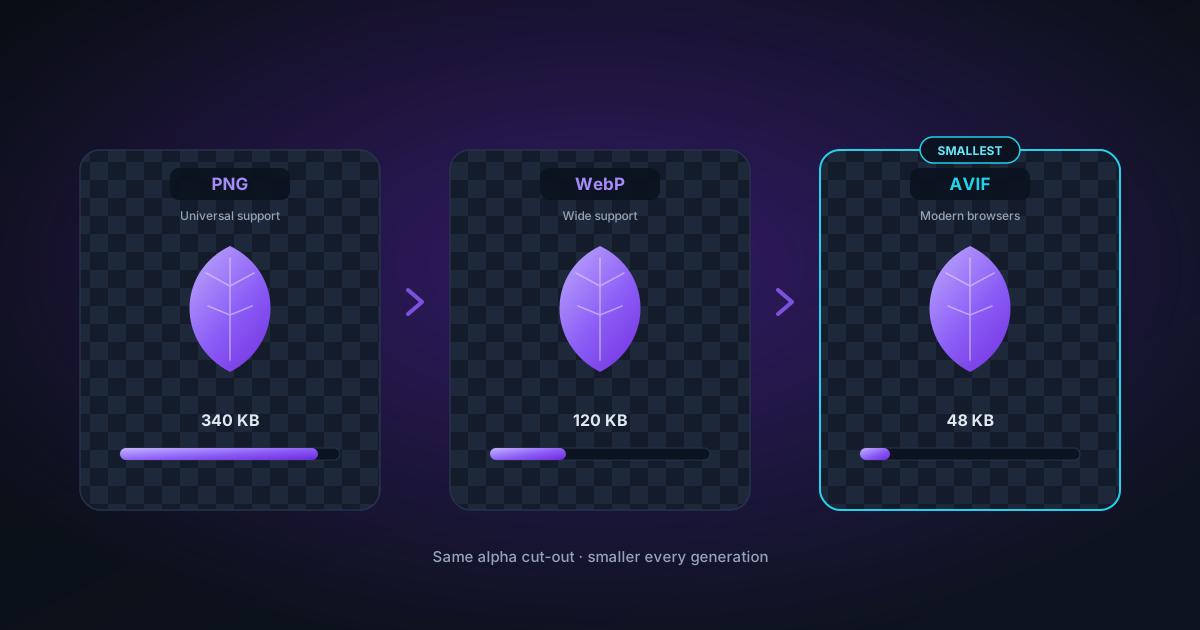
File size: Significantly smaller than PNG. A 500 KB PNG might be 80–150 KB as WebP at quality 80.
Best for:
- Website product images
- Blog and article images
- When you control the publishing pipeline and know the tool chain supports WebP
- Figma assets for web handoff
Avoid when: You need to open the file in older Photoshop versions (pre-23.2) or tools that don't support WebP yet. Stick to PNG for professional print production.
AVIF — The modern choice
Transparency support: Yes (straight alpha when encoded correctly)
Compression: Lossy
Browser support: Chrome 85+, Firefox 93+, Edge 85+, Safari 16.4+
Tool support: Limited — most design tools do not support AVIF yet
AVIF is the newest format, based on the AV1 video codec. It achieves the best compression of the three — often 50% smaller than WebP at similar quality. Transparency is supported.
File size: Smallest of the three. A 150 KB WebP might be 60–90 KB as AVIF.
Straight alpha caveat: AVIF encoders sometimes apply premultiplied alpha by default. NSS explicitly disables premultiplication in its AVIF encoder and verifies the result — but not every tool does this. If you're using another AVIF encoder, test the output in Photoshop.
Best for:
- Modern web publishing where you control the deployment environment
- Mobile-optimised sites where bandwidth matters
- Chrome and Firefox users (wide support)
Avoid when: You need to open the file in Photoshop (support is version-dependent and requires Camera Raw), or when recipients use older software.
Format comparison table
| PNG | WebP (q80) | AVIF (q70) | |
|---|---|---|---|
| File size (relative) | 100% | ~30% | ~15% |
| Transparency | Yes | Yes | Yes |
| Quality | Lossless | Lossy, excellent | Lossy, excellent |
| Photoshop | Yes | Partial | Partial |
| Figma | Yes | Yes | No |
| Canva | Yes | Yes | No |
| All browsers | Yes | Yes (2021+) | Yes (2022+) |
| Print production | Yes | No | No |
Decision guide
For Photoshop / Affinity / InDesign work: PNG
For website product images (you control the server): WebP or AVIF
For Canva / Figma assets: PNG or WebP (not AVIF — Canva doesn't support it)
For social media: WebP or JPG (platforms often re-compress anyway, so format matters less)
For print: PNG
For sticker sheets and merchandise: PNG
For email: JPG (most email clients can't handle transparent images gracefully anyway)
What about JPG?
JPG has no transparency support. If you export a JPG from NSS, the transparent areas are composited onto a solid colour background (white by default, or whatever you set in the Background tool). This is correct for social media sharing and platform uploads, but you can't use a JPG as a transparent overlay.
The file size question in practice
For a 1000 × 1000 px product photo cutout:
- PNG: 200 – 600 KB (depends on detail)
- WebP quality 80: 40 – 120 KB
- AVIF quality 70: 20 – 60 KB
If you're serving thousands of product images on an e-commerce site, WebP pays for itself in bandwidth immediately. If you're sending a file to a client who will open it in Photoshop, PNG is safer.
Related
Applies to NSS Background Remover v0.2.0 — the release that was current when this article was published.
Was this article helpful?
Your answer is saved in this browser only. This control makes no network request and does not send the answer to an NSS feedback endpoint.