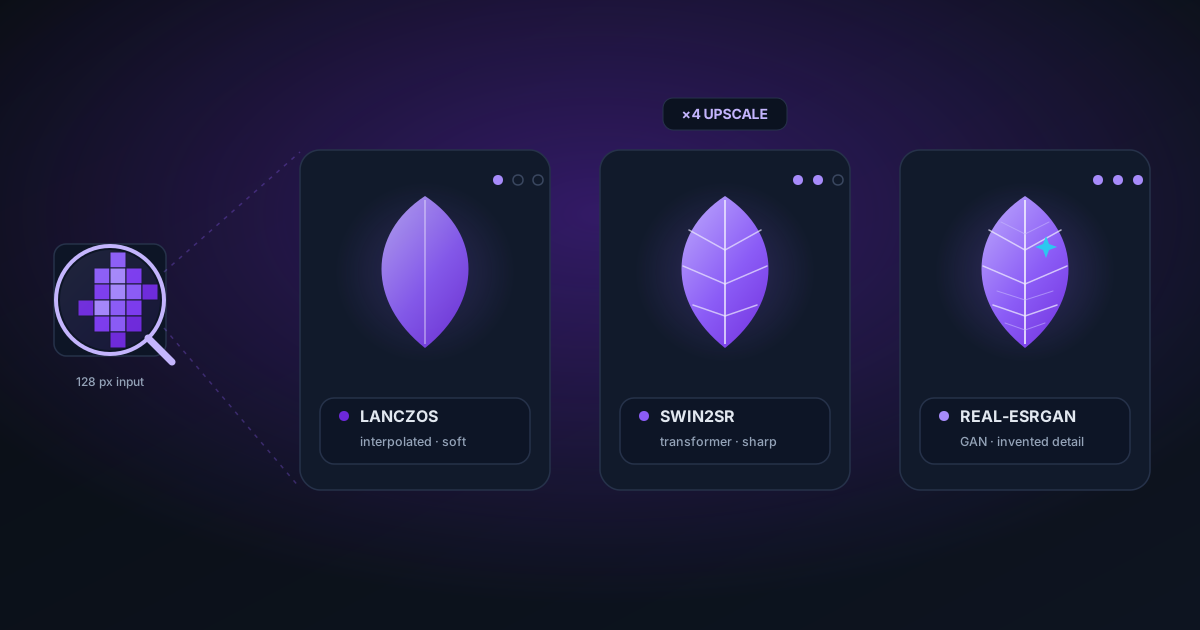
AI Image Upscaling: Lanczos vs. Swin2SR vs. Real-ESRGAN, Which Is Best?
A practical comparison of three upscaling approaches: classic Lanczos interpolation, transformer-based Swin2SR, and GAN-based Real-ESRGAN. When each method wins, what to expect on different content types, and how to choose.
By Novus Stream Solutions Editorial Team · Part of the Image processing and on-device AI topic cluster
You want to make a small image bigger. You have three broad approaches: mathematical interpolation (Lanczos), transformer-based neural networks (Swin2SR), and GAN-based networks (Real-ESRGAN). Each has a different profile of speed, quality, and failure modes.
Here's what each method actually does and when to use each one.
The baseline problem: what upscaling is really doing
When you double the resolution of an image you're asking the algorithm to invent pixels that weren't there. A 400×300 image upscaled to 800×600 has 4× as many pixels. The original image only provides 25% of them. The upscaler has to fill the other 75%.
The fundamental question is: how much should the algorithm invent versus extrapolate?
Lanczos interpolation
Lanczos is a mathematical filter originally developed for signal processing. For image upscaling, it works by treating each pixel as a sample of a continuous function, then reconstructing that function using a windowed sinc kernel and resampling at the new (higher) resolution.
What it does well:
- Preserves edges that were already sharp in the source
- Predictable output, same input always produces same output
- Very fast: microseconds on a GPU via WebGL
- No hallucination, it cannot invent detail that wasn't there
Where it falls short:
- Cannot recover detail lost during capture (blurry photo stays blurry)
- Can produce slight ringing artifacts on very sharp edges (Gibbs phenomenon)
- Textures look "smooth" at high zoom: fine grain and fabric weave don't survive well
When to use Lanczos:
- You need a clean vector-like image at a larger size (logo, UI asset, diagram)
- Speed matters more than synthetic detail
- The source is already sharp and you just need bigger pixels
- Video upscaling where per-frame neural inference would be too slow
NSS Background Remover's video upscaler uses WebGL Lanczos for exactly this reason: processing 300 frames of video with a neural network would take hours, whereas WebGL Lanczos processes each frame in under 2ms.
Swin2SR
Swin2SR is a Vision Transformer (ViT) based model specifically trained for image super-resolution. It uses a Swin Transformer backbone: a hierarchical attention mechanism that computes relationships between image patches at multiple scales.
Unlike older CNN-based upscalers, Swin2SR can leverage long-range dependencies: it "looks" at a larger context around each region before deciding what to synthesize. This helps with structured textures (brick, fabric, text) where the pattern far away from a given pixel is still relevant.
What it does well:
- Recovering structured detail: text, brickwork, architectural lines
- Faces and portraits at moderate zoom (2×)
- More natural-looking output than Lanczos on photographic content
Where it falls short:
- Slow: a 512×512 → 1024×1024 upscale takes 8–15s in ONNX/WASM
- The 47MB model must download before first use
- Can over-smooth fine organic textures (hair, grass, water)
- Occasional "painting-like" artifacts on highly complex scenes
When to use Swin2SR:
- Single image upscaling where you have a few seconds to spare
- Product photos with text labels or geometric detail
- Portraits at 2× (4× tends to over-smooth facial texture)
- When Lanczos produces visible stepping on diagonal edges
NSS Background Remover's AI Image Upscaler uses Swin2SR for single images where the extra processing time is acceptable in exchange for higher perceptual quality.
Real-ESRGAN
Real-ESRGAN is a GAN (Generative Adversarial Network) trained on a distribution of real-world degraded images: blurry, compressed, noisy, and low-resolution photos. The generator learns to produce visually plausible high-resolution outputs; the discriminator learns to distinguish real high-res photos from the generated ones.
The key difference from Swin2SR: Real-ESRGAN hallucinates detail. It synthesizes texture, skin pores, fabric grain, and other fine structures that aren't recoverable from the compressed input. For many use cases this looks better than the mathematically conservative alternatives.
What it does well:
- Dramatic recovery of heavily compressed or blurry photos
- Natural-looking skin texture and hair
- Old scanned photos and damaged images
- The "wow factor" (outputs often look genuinely higher quality at first glance
Where it falls short:
- Hallucinated detail is invented, not recovered) it may not match the original
- Text can be distorted, especially in unfamiliar scripts
- Faces sometimes look "painted" or over-textured
- Slow: similar inference time to Swin2SR
- GAN artifacts can appear on structured backgrounds (tile, wallpaper, grid)
When to use Real-ESRGAN:
- Heavily degraded source material where faithful reconstruction isn't possible anyway
- Artistic use where "impressively sharp" matters more than accuracy
- Portrait photos at 4× where Swin2SR over-smooths
- Restoring old photos where some creative reconstruction is acceptable
Direct comparison
| Property | Lanczos | Swin2SR | Real-ESRGAN |
|---|---|---|---|
| Speed | Very fast (< 5ms) | Slow (8–15s) | Slow (10–20s) |
| Hallucination | None | Low | High |
| Text quality | Good | Very good | Variable |
| Hair/fur | OK | Over-smooth | Good |
| Old/noisy photos | Poor | OK | Very good |
| Accuracy | High | Medium | Low–Medium |
| Artifact risk | Low | Low | Medium |
What's available in the browser today
As of 2026, browser-based upscaling options are:
- Lanczos via WebGL: fast, widely supported, no download required
- Swin2SR via ONNX: available in tools like NSS Background Remover's AI Image Upscaler; requires a ~47MB model download
- Real-ESRGAN via ONNX: available in some tools; larger model (100–200MB), slower inference
The AI Image Upscaler on this site uses Swin2SR for the "AI mode" and WebGL Lanczos for "Instant mode". You can switch between them to compare the results on your specific image.
Practical recommendation
For logos, UI assets, vector-style content: Lanczos.
For product photos, portraits at 2×, anything with text: Swin2SR.
For degraded, blurry, or heavily compressed photos where you want the best-looking result regardless of accuracy: Real-ESRGAN.
When in doubt: try Lanczos first. It's instant. If the result looks smooth or mushy, switch to AI.
Applies to NSS Background Remover v0.9.0 — the release that was current when this article was published.
Was this article helpful?
Your answer is saved in this browser only. This control makes no network request and does not send the answer to an NSS feedback endpoint.