What Are Cinematic LUT Filters and How to Apply Them Free in Your Browser
A plain-language explainer on LUT (Look-Up Table) color grading: what cinematic presets like Faded Film, High Contrast, and Cool Mist actually do to your pixels, and how to apply them without Premiere or Lightroom.
By Novus Stream Solutions Editorial Team · Part of the Browser-local editing workflows topic cluster
You've seen the terms "LUT," "color grade," and "cinematic preset" thrown around in video editing circles. But what do they actually mean, and can you use them on still images without paying for Premiere Pro or Lightroom?
Yes. Here's what's happening under the hood, and how to apply cinematic filters in your browser for free.
What is a LUT?
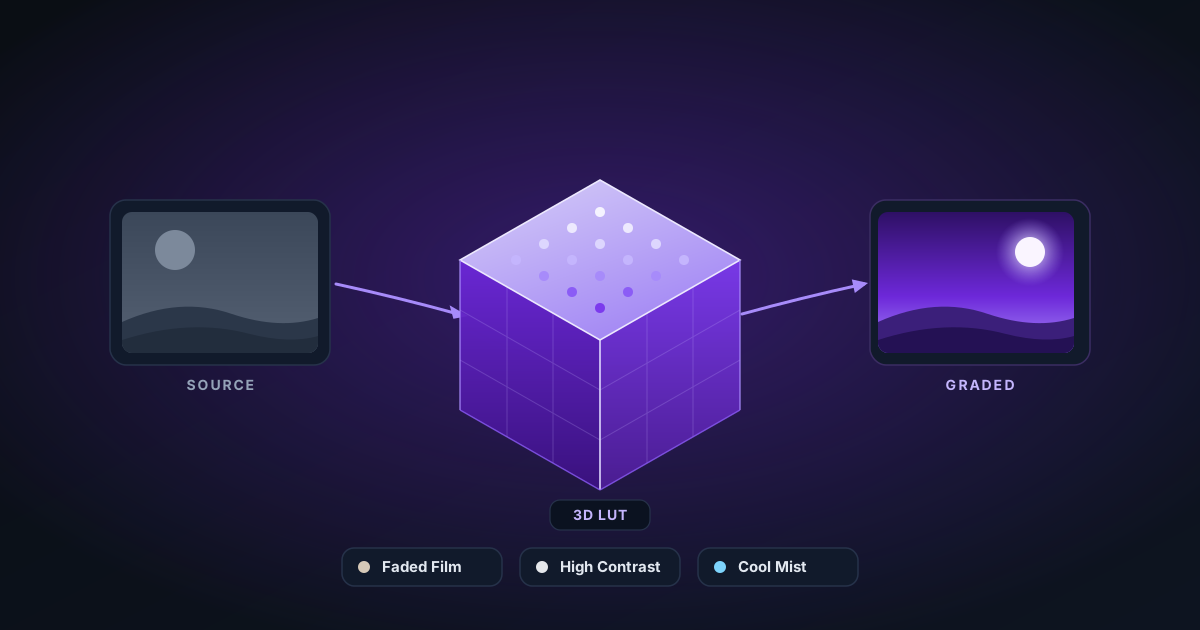
LUT stands for Look-Up Table. In color grading, a LUT is essentially a mapping: for every input color (or brightness value), the LUT tells you what output color to produce.
Think of it as a recipe book where each entry reads: "when you see this exact R, G, B combination, replace it with this R, G, B combination."
A full 3D LUT covers the entire RGB color cube: typically 33×33×33 or 65×65×65 discrete points. Values between those points are interpolated. The result is that a single LUT file can encode any color transform you can imagine: warming, cooling, bleaching, crushing shadows, or recreating the look of a specific film stock.
What cinematic presets actually do
Sepia
Converts the image to a warm brown monochrome. Under the hood: desaturate to luminance, then shift hue toward red-orange (approximately R+20%, G+10%, B−20%). The warmth mimics the silver-sulfide chemical process of early photography.
Faded Film
Lifts the shadows (raises the minimum output from 0 to roughly 20–25 on a 0–255 scale) and slightly desaturates highlights. This "crushed" look came from old film stocks and optical printing. It's now shorthand for nostalgia.
High Contrast
Pushes the midtone curve steeply: shadows get darker, highlights get brighter, midtones stay roughly the same. Mathematically this is an S-curve applied to the luminance channel.
Vignette
Not technically a color grade. It's a radial brightness falloff. Pixels toward the corners have their brightness multiplied by a value that decreases from 1.0 at center to ~0.5 at corners. Mimics light fall-off from older camera lenses.
Cool Mist
Shifts the white point toward blue (adds blue to highlights, reduces red/yellow) and slightly lifts shadows to add a haze. Common in winter landscapes and moody portrait work.
Warm Glow
The opposite of Cool Mist: adds red/orange to midtones and highlights, reducing blue. Recreates golden-hour or firelight looks.
Night Vision
Crushes everything to green-on-black by converting to luminance, then mapping through a green color matrix. Mimics phosphor night-vision displays.
Cross Process
Originally a darkroom technique where slide film (E-6) was developed in print chemistry (C-41). The result: over-saturated cyans and greens, blown yellow highlights, crushed blue shadows. Digitally reproduced by applying different tone curves per channel.
How it works in the browser
NSS Background Remover's image and video filter tools apply presets by manipulating raw pixel data on an HTML Canvas using the ImageData API. No GPU shader required.
The algorithm for each pixel:
- Read the current R, G, B values from
imageData.data - Transform using the preset matrix or curve (a few arithmetic operations per pixel)
- Write the result back to the same buffer
- Draw the modified
ImageDataback to the canvas
For a 1920×1080 image that's ~2 million pixels, each needing a handful of multiplications. In JavaScript, this runs in under 100ms on a modern device.
The intensity slider works by linearly interpolating between the original pixel and the fully-transformed pixel: output = original * (1 - intensity) + transformed * intensity. At 0% you get the original; at 100% you get the full preset.
Applying filters to video
Video is the same operation applied to each decoded frame. The video filter tool seeks to each frame timestamp, draws it to an OffscreenCanvas, runs the pixel transform, saves the result as a JPEG blob, then uses MediaRecorder to re-encode the result.
The output is a WebM file (VP9 codec) which preserves the frame timing from the original.
When to use which preset
| Preset | Best for |
|---|---|
| Sepia | Vintage portraits, old-document aesthetic |
| Faded Film | Product lifestyle shots, nostalgia branding |
| High Contrast | Fashion, architecture, street photography |
| Vignette | Portraits, any shot where you want to draw attention to the center |
| Cool Mist | Winter landscapes, moody headshots, tech product shots |
| Warm Glow | Food photography, golden-hour outdoor, lifestyle |
| Night Vision | Gaming content, surveillance aesthetic, sci-fi |
| Cross Process | Bold social media content, energetic editorial |
Try it free
Both the Image Filter and Video Filter tools are completely free, run in your browser, and never upload your files anywhere. Apply a preset, adjust intensity with the slider, and download. No account required.
Applies to NSS Background Remover v0.9.0 — the release that was current when this article was published.
Was this article helpful?
Your answer is saved in this browser only. This control makes no network request and does not send the answer to an NSS feedback endpoint.