Browser AI vs. Cloud API: Who Actually Sees Your Images?
When a tool runs AI in your browser, your files never leave the device. A clear comparison of client-side ONNX/WebGPU inference vs. cloud APIs — on privacy, cost, latency, and offline use.
By Novus Stream Solutions Editorial Team · Part of the Product, privacy, and trust topic cluster
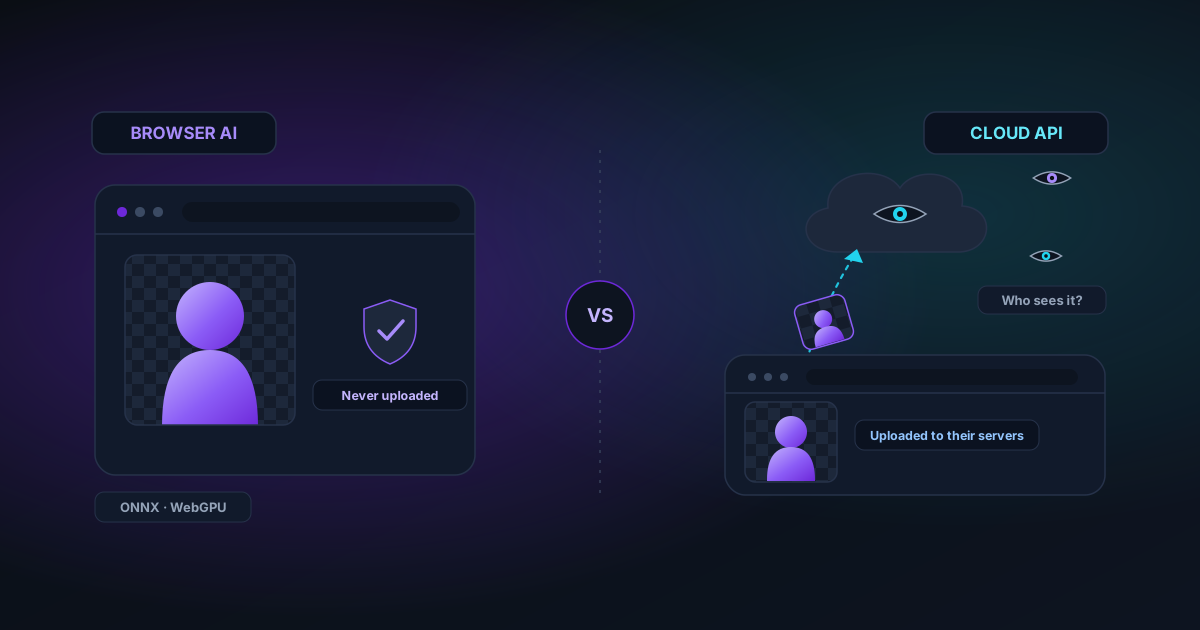
"Free online AI tool" usually means one of two very different things. Either the model runs on a server and your file is uploaded to it, or the model runs in your browser and your file never leaves your device. They look identical on the surface. They are not the same product.
What "cloud API" actually involves
When a tool uses a cloud API, here is the round trip: your image is uploaded to the tool's server, forwarded to a model host, processed, and the result is sent back. That means:
- Your file sits, however briefly, on infrastructure you do not control.
- The privacy policy — not the technology — is what stands between your image and "used for training" or "retained for analytics."
- There is a per-request cost, which is why these tools gate usage behind sign-ups, credits, or watermarks.
For a meme, fine. For a client's unreleased product shot, a contract, or a photo of a person, that upload is the whole risk.
What "browser AI" actually involves
Client-side AI flips the model around: the model travels to you, not your data to the model. Modern browsers can run neural networks directly via ONNX Runtime Web and WebGPU (with a WebAssembly fallback). The weights download once, cache on disk, and then inference happens on your own GPU.
The consequences are concrete:
- Privacy by architecture. The file is never uploaded because there is no server in the loop. You can verify this in your browser's network tab — no image leaves.
- No per-use cost. Once weights are cached, running the tool a thousand times costs the operator nothing, so there is no reason to gate it.
- Offline. After the first load, many tools keep working with no connection.
The honest trade-offs
Client-side is not free of downsides, and pretending otherwise would be dishonest:
- First-load download. Real models are tens to hundreds of megabytes; the biggest generative ones are gigabytes. You pay that once (then it is cached), but it is a real wait the first time.
- Device dependence. A recent laptop with WebGPU flies; an old phone falls back to slower WASM. Good tools detect this and pick an appropriate tier.
- Ceiling on model size. The very largest cloud models will not fit in a browser tab. For most image and video tasks, the client-side models are excellent — but it is a genuine limit.
How to tell which one you are using
Open your browser's developer tools, go to the Network tab, and run the tool. If your image gets uploaded, you will see the request. If the only downloads are model weights (and they only happen the first time), it is running locally. For anything sensitive, that difference is the whole point.
Applies to NSS Background Remover v1.7.0 — the release that was current when this article was published.
Was this article helpful?
Your answer is saved in this browser only. This control makes no network request and does not send the answer to an NSS feedback endpoint.