Non-Destructive Editing: How Undo Actually Works in a Layer-Based Editor
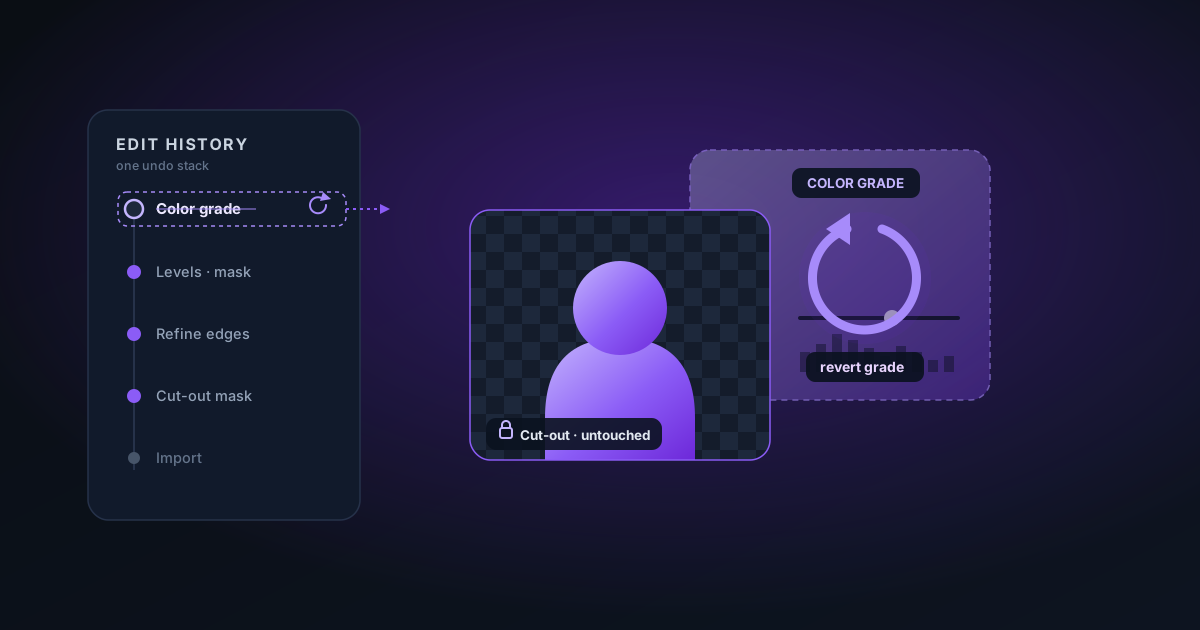
Filters, slider adjustments, mask edits, and layers each need their own history. Here is how a single undo stack reverts a grade without touching your cut-out — and why that matters.
By Novus Stream Solutions Editorial Team · Part of the Image processing and on-device AI topic cluster
Undo feels simple — press Ctrl+Z, the last thing reverts. Under the hood, an editor that mixes background removal, filters, colour sliders, and layers has to be careful about what "the last thing" was. Get it wrong and undoing a brightness tweak wipes your hand-painted mask. Here is how a coherent history stack handles it.
Destructive vs. non-destructive
A destructive edit changes pixels permanently: erasing part of a mask, baking in a crop. A non-destructive edit is a setting layered on top of the original: a filter preset, a brightness value, a saturation slider. The original pixels are untouched; the look is recomputed live from the settings.
A good editor keeps both kinds reversible — but they cannot share one naive "snapshot the pixels" history, because that would be enormous and would conflate independent dimensions.
A typed history stack
The trick is to make each history entry know what kind of change it represents:
- A mask entry stores the mask values after a brush or wand stroke.
- A layers entry stores the layer stack after an add/reorder/transform.
- An adjustments entry stores the grade — filter preset, intensity, and the brightness/contrast/saturation/temperature sliders.
When you undo, the editor looks at the entry it is reverting and restores only that dimension. Undo a filter change and your mask is left exactly as it was. Undo a brush stroke and your grade is untouched.
Making grade changes self-contained
Sliders are continuous, so dragging brightness from 100 to 140 should record one undo step, not forty. Two ideas make this clean:
- Debounce. Wait until the slider settles, then push a single entry.
- Store both ends. Each grade entry remembers the value before and after the change. That makes undo/redo correct even when mask or layer edits sit between two grade edits — the entry does not depend on its neighbours.
Why this matters for your work
Non-destructive editing is what lets you experiment fearlessly. Try an aggressive cinematic grade, paint a tricky edge, add a text layer — and walk any of it back independently, in any order, without losing the rest. The original image and your cut-out mask are always recoverable, because the looks were never baked in until you exported.
The practical upside: keep editing live. Apply filters and adjustments freely, knowing each is one keystroke from reverting, and only flatten everything at export time.
Applies to NSS Background Remover v1.7.0 — the release that was current when this article was published.
Was this article helpful?
Your answer is saved in this browser only. This control makes no network request and does not send the answer to an NSS feedback endpoint.