Virtual Staging in the Browser: Add Furniture to Empty Rooms as Layers
A practical workflow for staging real estate photos client-side: open the room, drop furniture in as image layers, position, scale, rotate, and switch between flat and 3D views.
By Novus Stream Solutions Editorial Team · Part of the Publishing and marketplace requirements topic cluster
Empty rooms photograph poorly. Buyers struggle to judge scale, and bare floors read as "unfinished" rather than "blank canvas." Virtual staging fixes that by compositing furniture into the photo. You do not need a desktop suite or an outsourced service — a layer-based browser editor handles the core workflow.
Staging is a layering problem
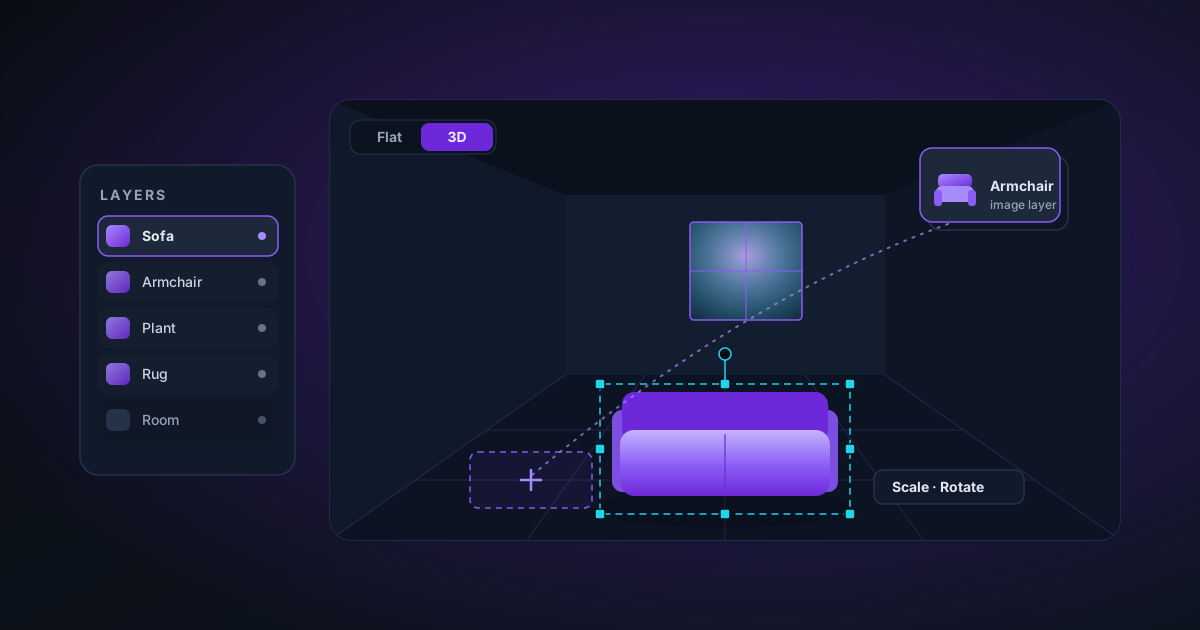
At its heart, virtual staging is: take a room photo, place cut-out furniture on top, and make it sit believably in the space. That maps directly onto an image-layer model:
- The room photo is the base.
- Each piece of furniture is its own image layer with transparency.
- You position, scale, and rotate each layer until it fits the perspective and lighting of the room.
Because every item is a separate layer, nothing is permanent — move the sofa, swap the rug, delete the plant, reorder what sits in front of what.
The workflow
- Open the room as your base image.
- Switch to the Real Estate environment so the editor foregrounds the layer tools.
- Add furniture as layers. Each piece comes in as its own transparent image you can drag into place.
- Match the perspective. Scale the piece to plausible real-world size and nudge its position so it rests on the floor plane, not floating.
- Order the stack. Items closer to the camera go on top; a rug goes under the coffee table.
- Check it in 3D. A flat composite can hide perspective mistakes; viewing the staged scene as billboarded layers in a 3D preview makes scale errors obvious.
Making it believable
A few habits separate convincing staging from the obvious paste-job:
- Respect the light. If the room is lit from the left, furniture with shadows on the right will look wrong. Prefer items shot in similar lighting.
- Mind the contact point. The single biggest tell is furniture that floats. Make sure legs and bases meet the floor.
- Do not overfill. Stagers leave breathing room; a sparse, intentional layout sells better than a crammed one.
Disclosure matters
Virtual staging is a marketing aid, not a misrepresentation. List photos that are digitally staged should be labelled as such — most regions expect it, and buyers appreciate the honesty. Stage to help people imagine the space, not to hide its condition.
Because the whole workflow runs in the browser, the listing photos never leave your machine — useful when you are working with a client's property before it goes public.
Applies to NSS Background Remover v1.7.0 — the release that was current when this article was published.
Was this article helpful?
Your answer is saved in this browser only. This control makes no network request and does not send the answer to an NSS feedback endpoint.